Your team’s app, on iPhone and Android
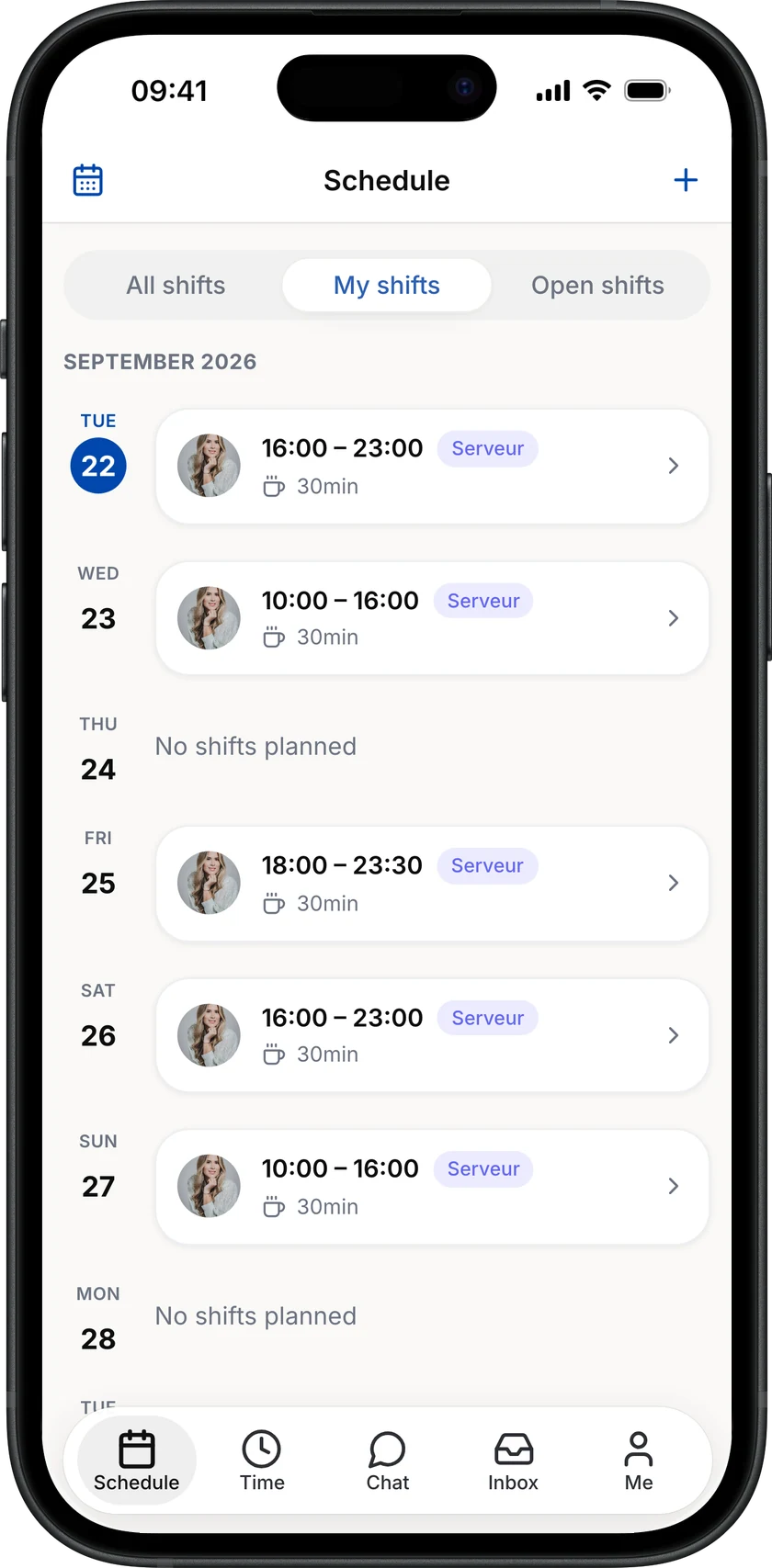
The schedule, clocking in, requests and chat in every employee’s pocket. And a widget to see the next shifts without opening the app.
14 days free, full access. No credit card required.
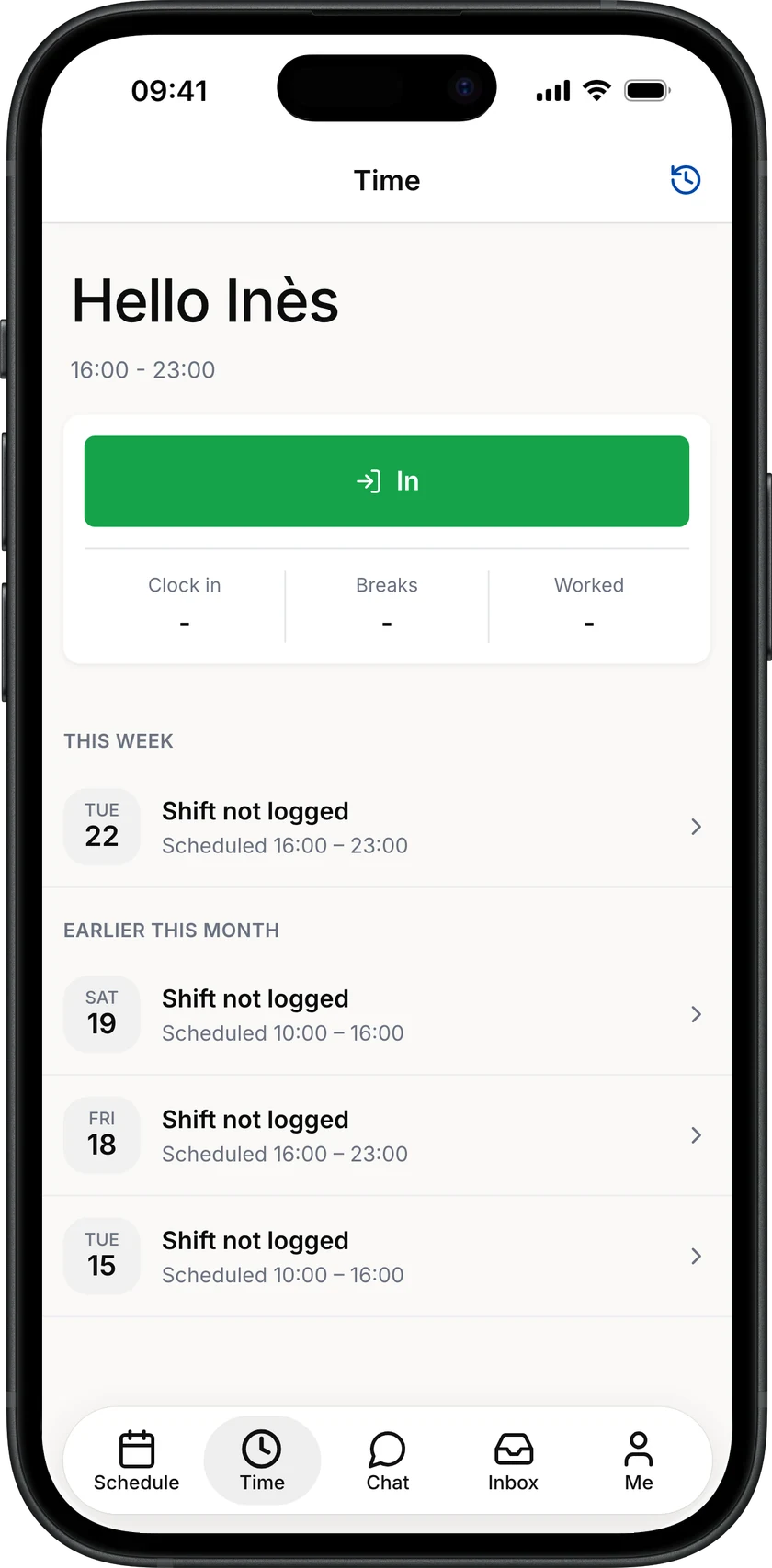
Clock in from the phone
One button for in, breaks and out. The hours reach the manager straight away.
- In, break, out
- Position check as an option
- A missed shift can be logged afterwards

Told as soon as something changes
Schedule published, shift changed, swap offered, time off approved: a notification lands on the phone. Everyone picks the ones they want.
- Schedule and shifts
- Swaps and requests
- Messages and mentions

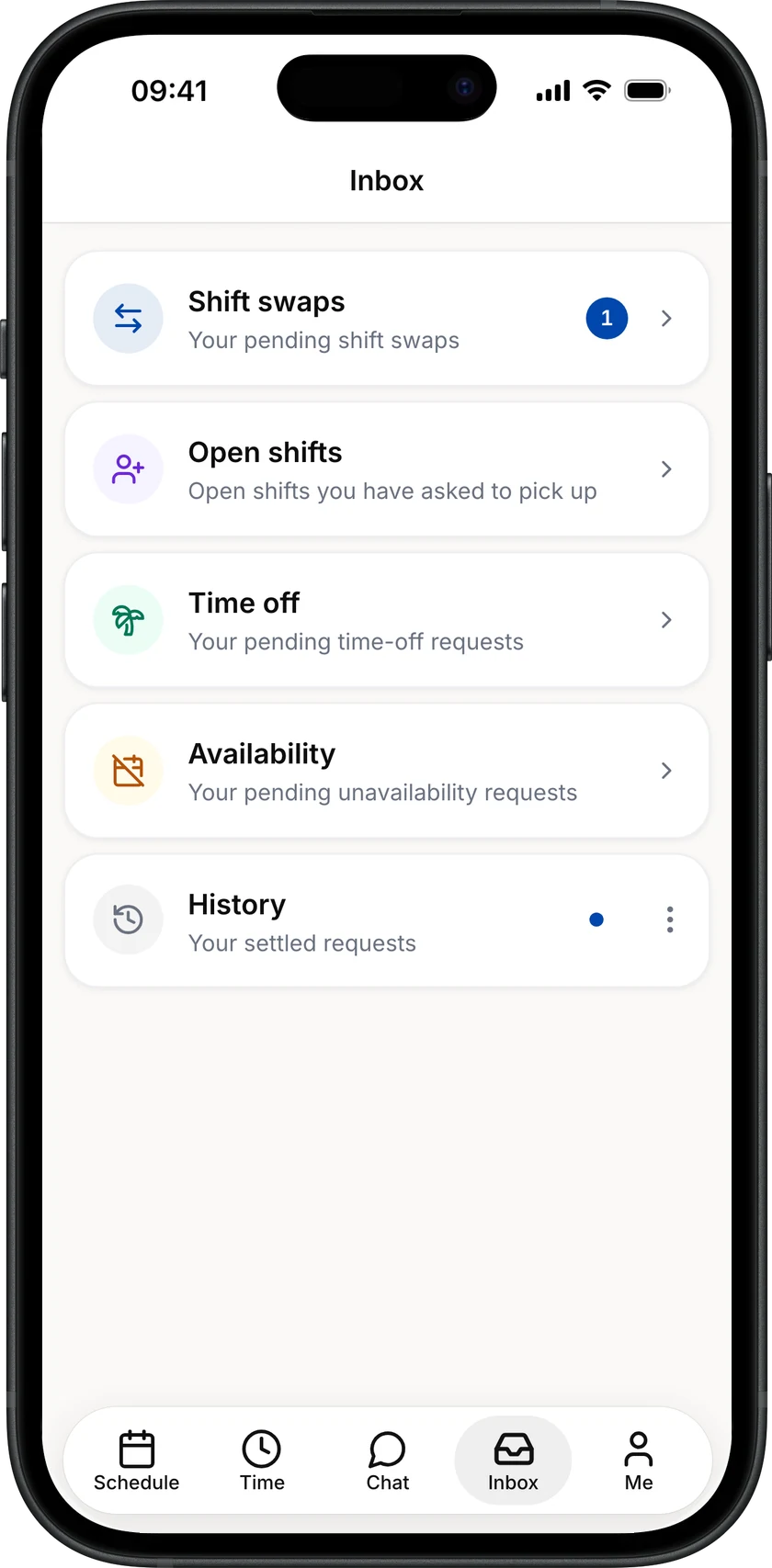
Time off and swaps, requested from the app
Time off, shift swaps, unavailability: everyone sends their request and follows the answer in the app.
- Time off and unavailability
- Swaps and open shifts
- The answer arrives as a notification

And that’s not all
iPhone and Android
On the App Store and Google Play, in French, German and English.
The next shift on the home screen
The Shifta widget shows the next shift and the two after it, without opening the app. On iPhone.
The team chat
Channels, direct messages and mentions, in the same app as the schedule.
Across Switzerland, they trust us

Before, it was sheets of paper pinned behind a door. Now the staff organise themselves and swap their shifts. For me, it means far fewer hours spent on schedules.

Margaux Kuster
Manager · Chez Mon Oncle (Nyon)
Book your free demo
Pick a time that suits you. We'll walk through Shifta with your team's real week in mind. No slides, no sales pressure, no commitment.
Book your demo- Free, no commitment
- 30 minutes, online
- In your language
Prefer email? Write to our team.
Frequently asked questions about the app
What to know before inviting your team.
How do employees join the app?
You invite them from Shifta. Everyone gets an e-mail, downloads the app and signs in with their own address.
Does the app work on Android?
Yes, on iPhone and Android, with the same features. The widget is available on iPhone.
What does an employee see?
Their shifts and the team’s, their hours, their requests and their conversations. Neither wages nor balances.
Can managers work from the phone?
Yes. They find the schedule, the requests to handle and the team’s hours in the same app.
Still have a question? Email our support team.